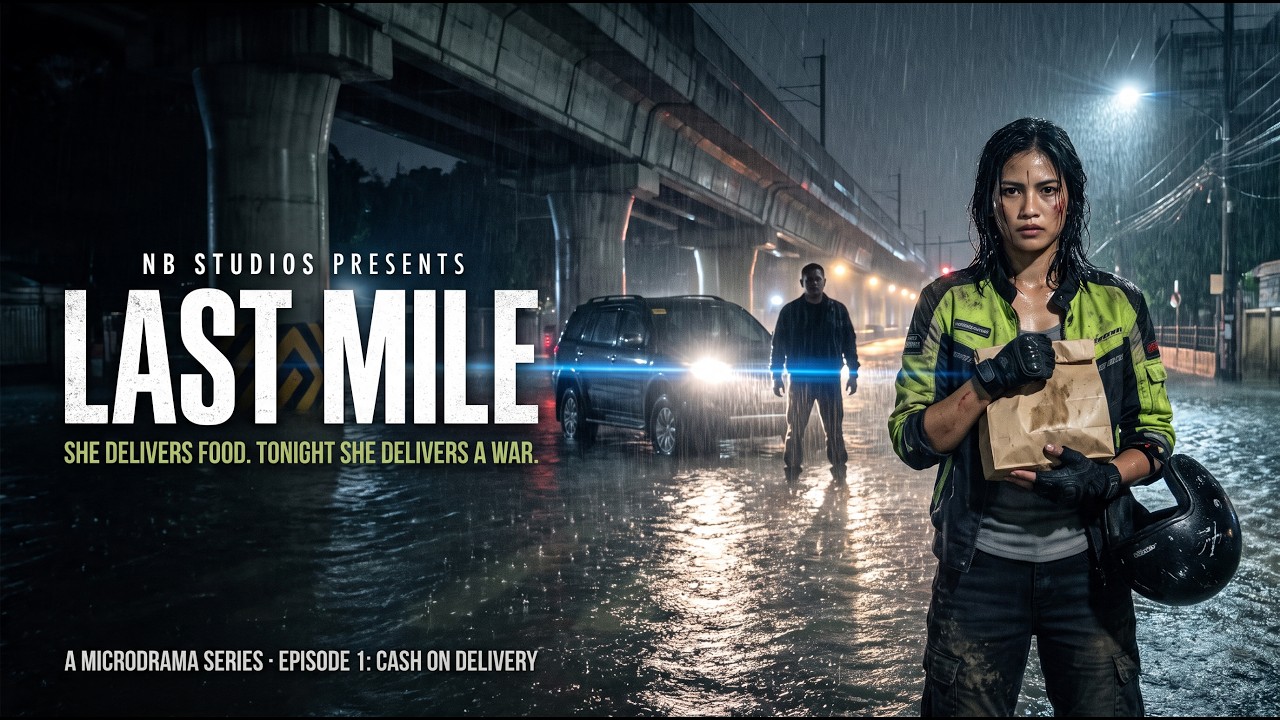
The film plugin that turned 15 AI generations into one film. Enter the code at checkout on dehancer.com.
Affiliate code: I earn a commission if you buy with it, at no extra cost to you. LAST MILE was supported by Dehancer, ByteDance and CapCut, and the settings in this post are exactly what’s on my timeline.
- Seedance 2.5 gives you performance and light. It doesn’t give you film: no grain, hard digital highlights, and every generation drifts a little.
- The whole grade lives on adjustment layers, so one look covers every clip instead of fifteen separate corrections.
- Lumetri sits above Dehancer: clean-up first, film second.
- Dehancer does the film part: a RED Gemini input, CineStill 50D, and a 35mm halation profile that makes headlights and rain glow like they were photographed.
- Want to try it? Promo code NBSTUDIOS takes 10% off Dehancer at checkout.
 Pr
Pr
The episode
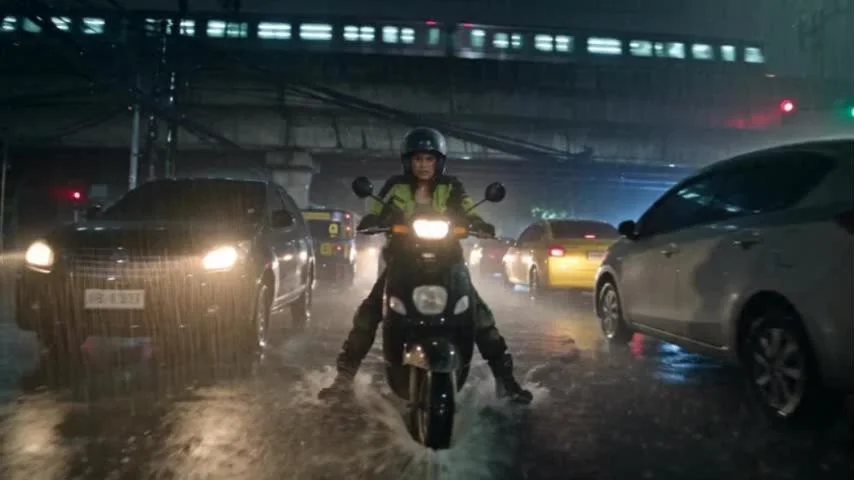
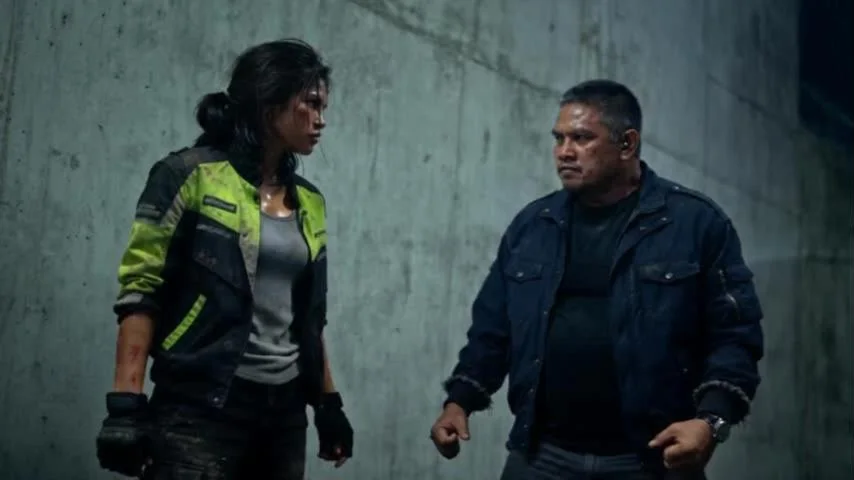
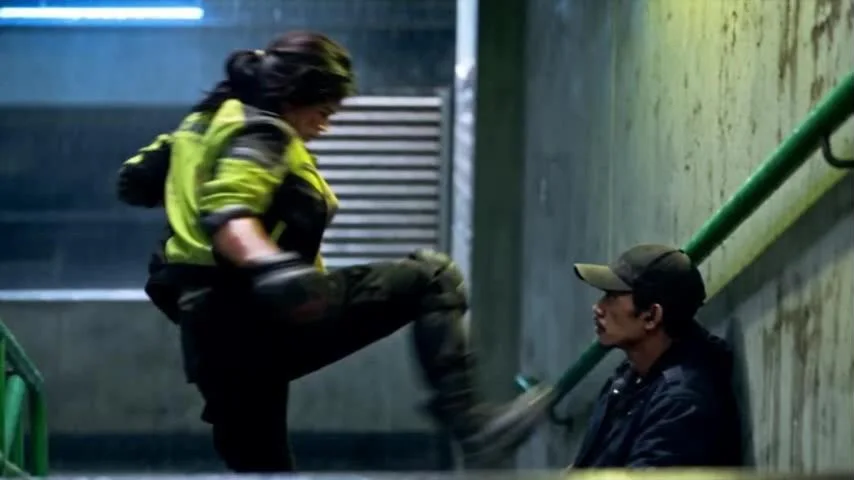
LAST MILE is a short-form action thriller set in Manila during a typhoon. Lia Santos left the Navy to raise her kid brother. Now she rides a delivery scooter through the floods for tips.
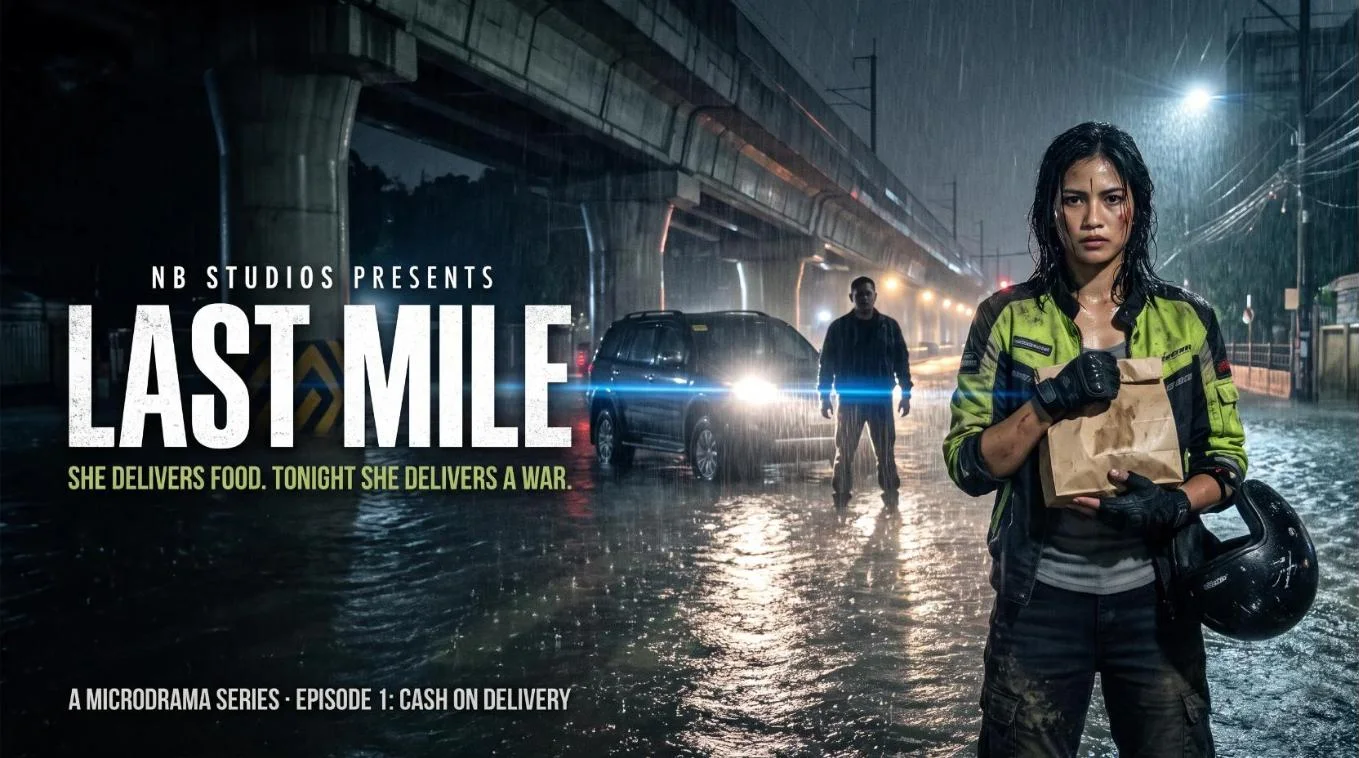
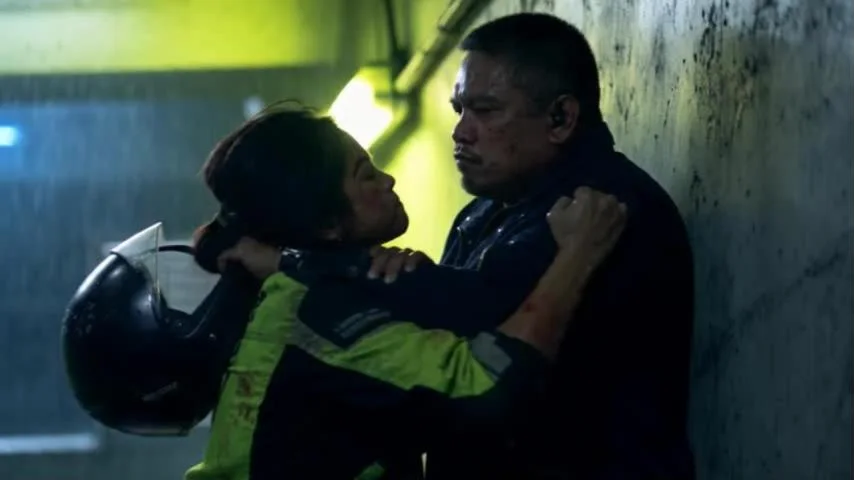
One cash-on-delivery order to Unit 22F changes that. A frightened auditor hides an envelope in the food she is delivering and tells her two things: don’t open it, and don’t go to the police, because they are the police. Then the elevator opens.
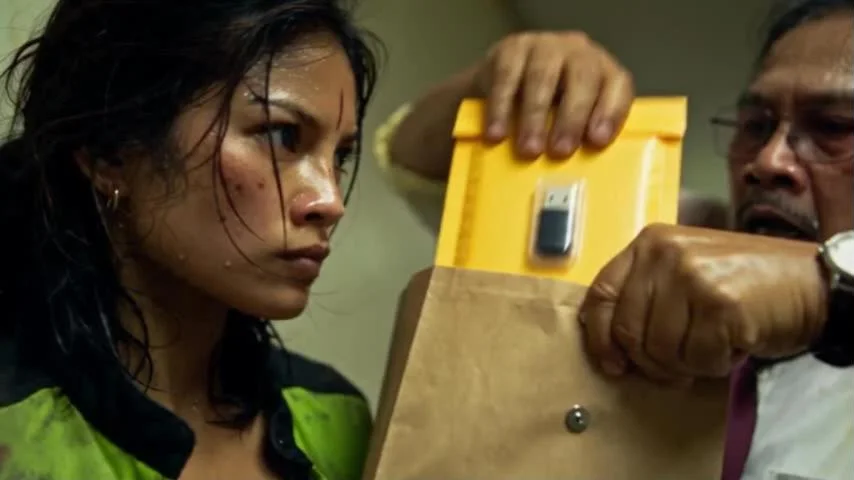
Why AI video needs a film grade (and how to color grade it)
Seedance 2.5 gives you motion, performance and lighting good enough to build a story on. What it doesn’t give you is film. Straight out of the generator, footage tends to be:
- Too clean. No grain structure, so walls, skies and skin read smooth and synthetic.
- Digital in the highlights. Headlights and streetlights clip instead of rolling off and glowing.
- Inconsistent from clip to clip. Every generation is its own render, so colour and contrast drift between shots.
That second part, roll-off, grain and halation, is exactly what generated footage is missing.
How it was built
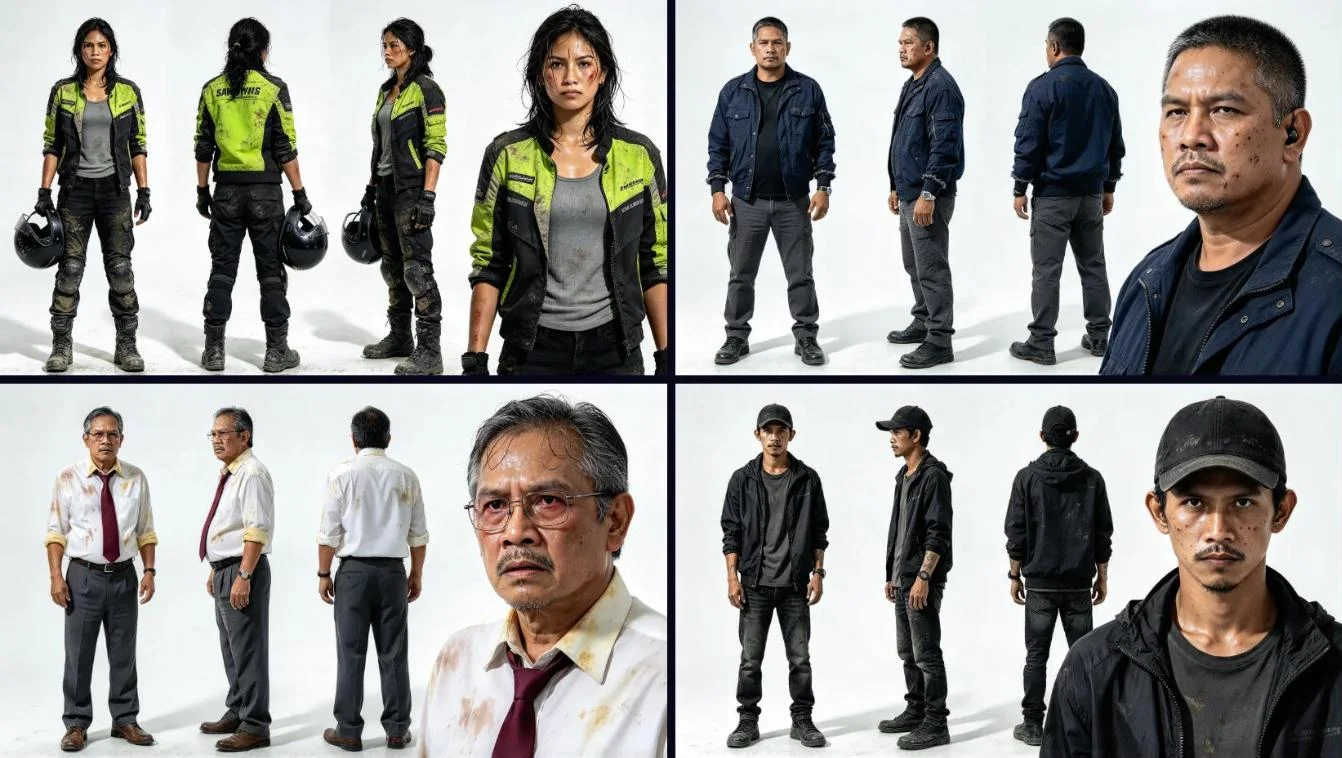
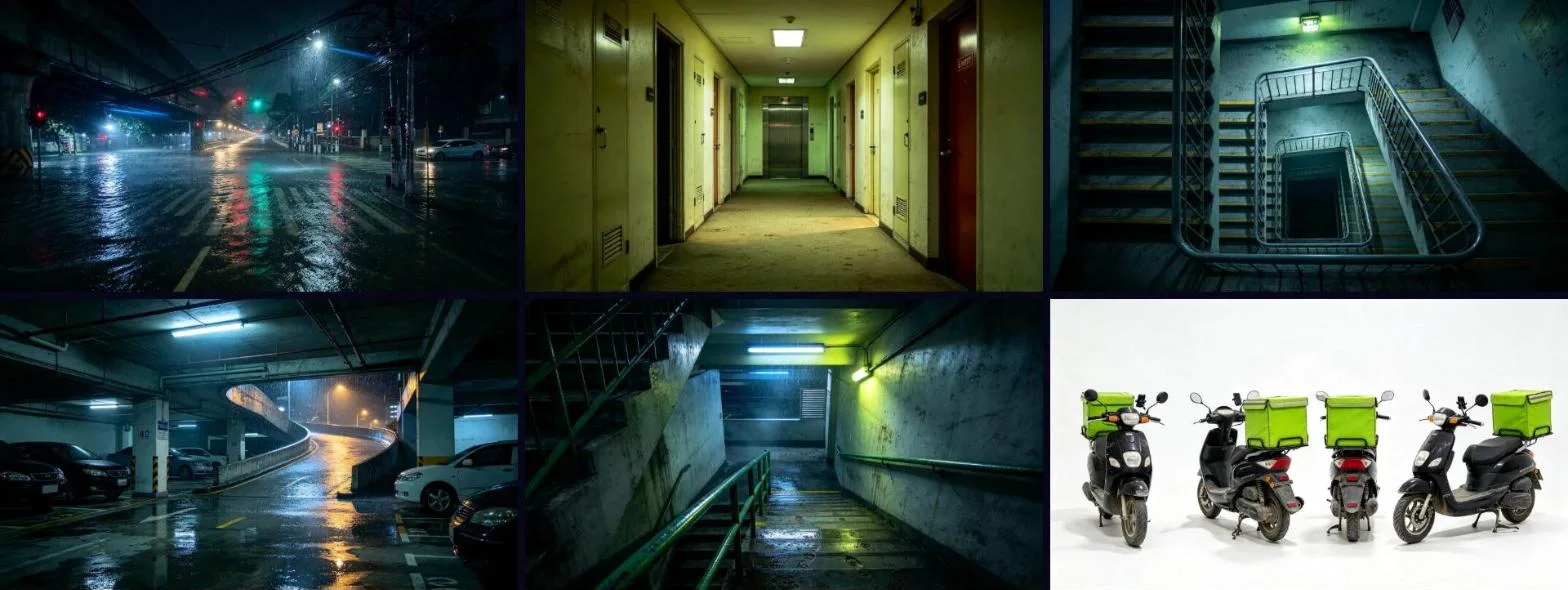
I ran it like a real production, with the camera replaced by Seedance. Every character, prop and location was locked as a reference before any video was generated, so Lia looks like Lia in every clip.


The timeline, explained
This is the whole episode in Premiere Pro, paused at 00:00:17:20. Here’s how it’s laid out and why.
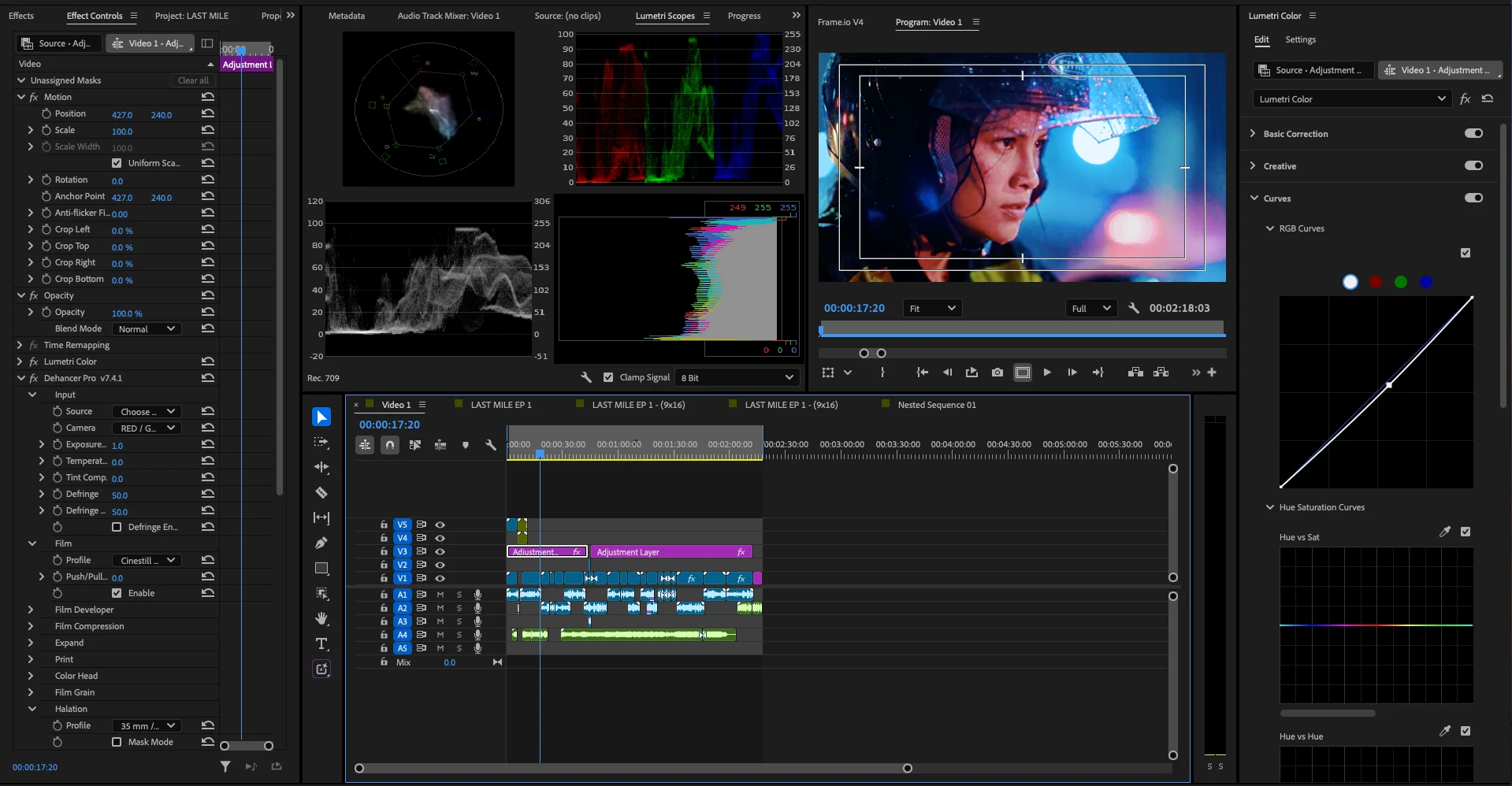
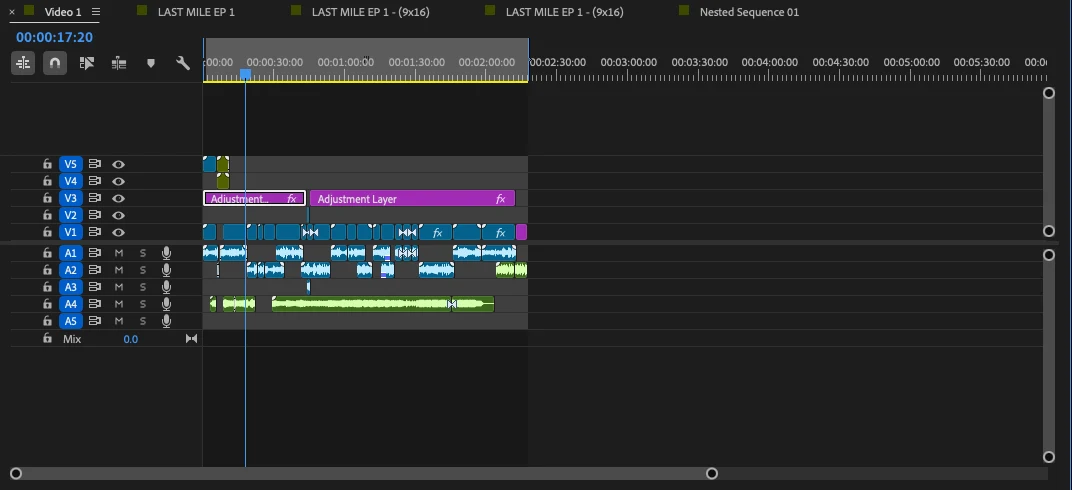
| Track | What’s on it | Why |
|---|---|---|
| V1 | The Seedance clips, cut in story order, with transitions and per-clip effects where a shot needed a fix | Picture only. Every clip stays editable underneath the grade. |
| V2 | Empty | Headroom for pickups and replacement shots without disturbing the grade. |
| V3 | Two adjustment layers (pink), each with Lumetri Color and Dehancer Pro | The grade sits over the whole cut, so every generation goes through the same film stock. Two layers let the opening be treated on its own. |
| V4, V5 | Short elements at the head of the episode | Top of the stack, so they sit above the grade. |
| A1 to A3 | Dialogue and effects from the generations | Seedance generates native sound; it lives on its own tracks so it can be mixed and replaced. |
| A4 | One long continuous clip under the episode | A single bed under the cut, so the mix holds together across scene changes. |
| A5 | Spare | Room for extra effects in the mix. |
The sequence tabs tell the rest of the story: the main LAST MILE EP 1 edit, two 9x16 sequences for vertical cutdowns, and a nested sequence. The vertical versions reuse the same graded picture instead of being graded twice.
Fifteen generations are fifteen slightly different cameras. One film pipeline on top of all of them is what pulls them into one movie. Per-clip fixes still happen on V1, underneath.
My Dehancer settings
Dehancer works like a chain of film-lab steps. These are the settings on the adjustment layer, straight from Effect Controls:
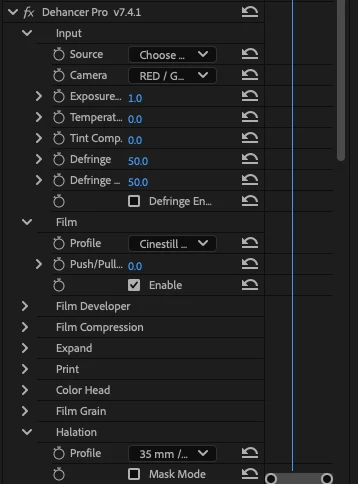
| Module | Setting | What it does here |
|---|---|---|
| Input · Camera | RED Gemini | Every clip enters the film stage through the same camera response |
| Exposure | 1.0 | Exposure handled at the input, before the stock |
| Temperature / Tint | 0.0 / 0.0 | Balance is done in Lumetri first, so Dehancer stays neutral |
| Defringe | 50 / 50, not enabled | Left off |
| Film · Profile | CineStill 50D | Fine grain, dense shadows, one film character across every location |
| Push / Pull | 0.0 | Stock exposed as rated |
| Halation · Profile | 35mm | The glow around headlights, streetlights and rain |
| Mask Mode | Off | Only used to preview where halation lands |
Input: RED Gemini
The input tells Dehancer how to read the source. Setting it to the RED Gemini camera means every clip enters the film stage through the same camera response. With fifteen generations in one episode, that shared starting point does a lot of the matching for you.
One honest note: Dehancer’s own guide describes camera profiles as being for log footage from that camera. Seedance output isn’t RED log, so treat this as a look choice and judge it by eye, not as a technical conversion.
Film: CineStill 50D, no push or pull
CineStill 50D is a fine-grain daylight stock. The grain is fine enough to add texture without turning the night scenes to mush, and it keeps shadows dense. Push/Pull stays at 0: the film is exposed “as rated”, and exposure is handled at the input instead.
Halation: 35mm
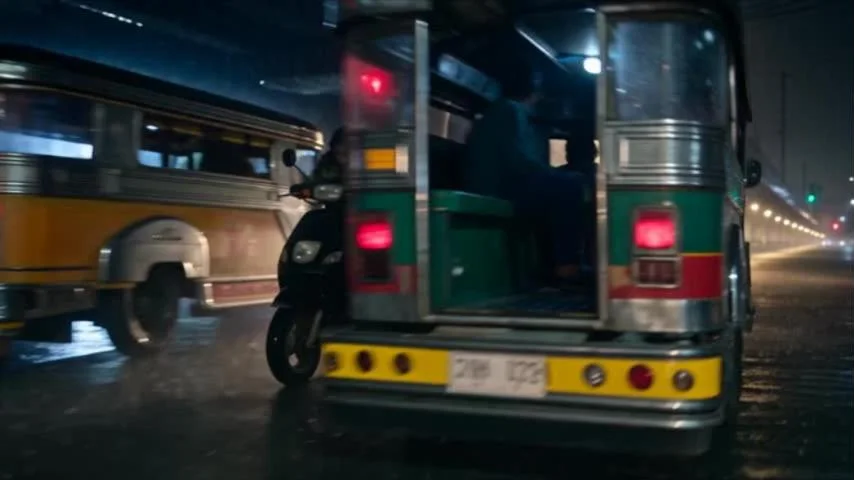
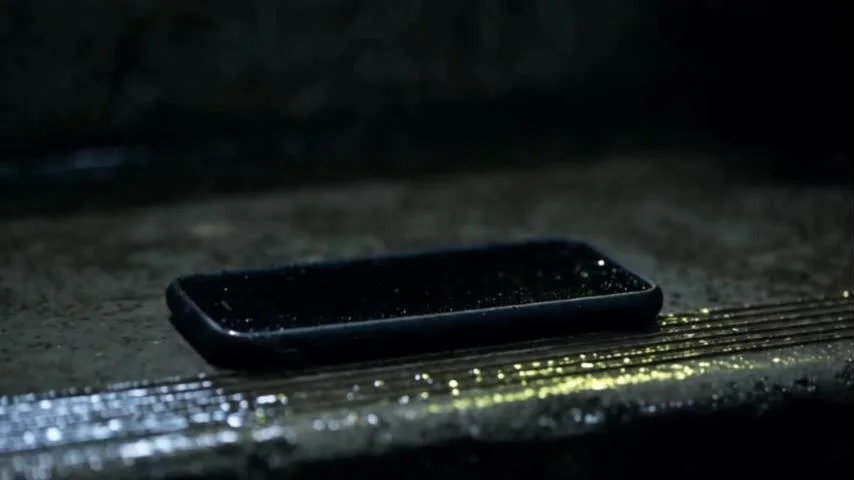
This is the module that sells it. Halation is the red-orange glow that forms around bright light inside real film. In a night film full of headlights, streetlights, rain and phone screens, it turns hard digital highlights into something that feels photographed. The 35mm profile matches the format the look is pretending to be.
Grade the light, not the colour.
Colour came from the prompts. Dehancer’s job was the behaviour of light: how it rolls off, glows and sits in grain.
Affiliate code: I earn a commission if you buy with it, at no extra cost to you. LAST MILE was supported by Dehancer, ByteDance and CapCut, and the settings in this post are exactly what’s on my timeline.
Lumetri before Dehancer
On the same adjustment layer, Lumetri Color sits above Dehancer Pro in Effect Controls, which means it processes first. That order matters. Dehancer’s own workflow guide recommends doing corrections before the film stage and placing Dehancer near the bottom of the effects stack.
- Basic Correction balances what each generation hands over.
- Curves carry a gentle RGB adjustment, with Hue vs Sat available for taming any colour that jumps.
- Dehancer runs last, so the film stock always receives clean, consistent input.
The Lumetri scopes stay open the whole time: vectorscope, RGB parade, waveform and histogram, in Rec.709. On generated footage the parade is the fastest way to spot a clip that came out warmer or brighter than its neighbours.
Before and after
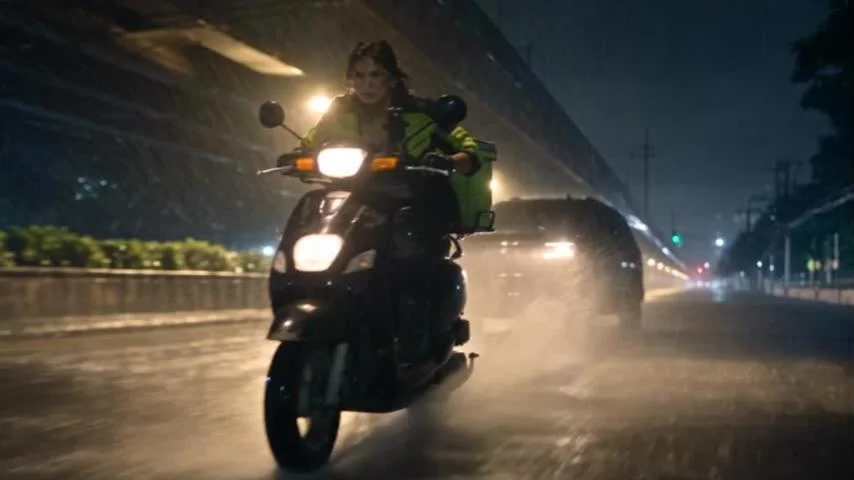
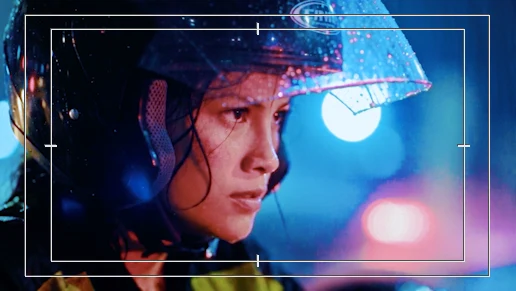
Here is raw Seedance output next to a frame from the graded timeline. Look at the highlights: the rain on the helmet and the out-of-focus city lights glow instead of clipping, and the skin keeps its warmth against the cold blue.
What I’d tell anyone grading AI footage
- Plan the look in the prompt. Write the light and palette into the generation, then let Dehancer finish it. It won’t rescue footage generated for a different look.
- Grade on adjustment layers. AI clips drift. One shared pipeline across the timeline pulls them together.
- Corrections first, film last. Lumetri above Dehancer, so the stock always gets clean input.
- Halation is your best friend and your easiest mistake. It’s the most convincing tool and the quickest to overdo.
- Treat the camera input as a look. Generated footage isn’t log from any camera. Pick the input by eye.
- Keep the scopes open. The parade catches the clip that came out hotter than the rest.
How to get Dehancer for 10% off
If this grade is the look you want, this is the plugin that does it. Here’s how to use my code:
Editors and filmmakers grading AI generations, phone or mirrorless footage, or anything that looks too clean and too digital. If your highlights clip and your shots don’t match each other, the film stage is what fixes it.
10% off any Dehancer purchase at dehancer.com.
Affiliate code: I earn a commission if you buy with it, at no extra cost to you. LAST MILE was supported by Dehancer, ByteDance and CapCut, and the settings in this post are exactly what’s on my timeline.
Questions
What was LAST MILE Episode 1 made with?
Every shot was generated with Seedance 2.5 in CapCut. The edit, sound and grade were done in Adobe Premiere Pro, with Lumetri Color for corrections and Dehancer Pro for the film look.
Which Dehancer settings did you use?
Dehancer Pro 7.4.1 on an adjustment layer: the RED Gemini camera input with exposure at 1.0 and temperature and tint at 0, the CineStill 50D film profile with no push or pull, and a 35mm halation profile.
Why not just use a LUT?
A LUT changes colour. Film emulation also changes how light behaves: highlight roll-off, grain and halation around bright sources. That is what generated footage lacks.
Is there a Dehancer promo code?
Yes: NBSTUDIOS gives you 10% off at checkout on dehancer.com. It’s my affiliate code, so I earn a commission if you use it, at no extra cost to you.
Is this post sponsored? Is there a discount?
Yes. LAST MILE was supported by Dehancer, ByteDance and CapCut. I am also a Dehancer affiliate: use code NBSTUDIOS for 10% off, and I earn a commission at no extra cost to you.
Keep reading
Want this finish on your film?
NB Studios handles editing, colour and AI production, from reference sheets to the final film grade.
Start a project →Manila-based, working with clients across the US, Australia and Europe.
Watch Episode 1 on YouTube and tell me where the AI shows.
The visuals are AI-generated with Seedance 2.5 in CapCut. The story, direction, edit and grade are by Nico Babierra. Supported by Dehancer, ByteDance and CapCut. Dehancer affiliate: code NBSTUDIOS gives 10% off and earns me a commission.