NB Studios  /  Blog  /  DaVinci Resolve 21
Tool Review

DaVinci Resolve 21 review: the Photo page, the AI tools, and what 21.1 quietly changed

Blackmagic shipped Resolve 21 in June and 21.1 four days before IBC. Between them that is more than 150 new features, an entire new page, and one architectural change nobody put on the marketing page that will outlast everything else in the release.

DaVinci Resolve 21 & 21.1 logo
Blackmagic Design
DaVinci Resolve 21 & 21.1
Released 2 June 202621.1 · 7 Sept$295 one-timeFree tier available
The short version
  • Resolve 21 added a whole new Photo page — RAW, tethering, Lightroom import, and the node graph applied to stills.
  • 21.1 shipped a native MCP server, so Claude or ChatGPT can drive Resolve directly. Nobody put this on the marketing page and it is the most important thing in the release.
  • The AI runs locally with no credit meter. IntelliSearch and slate detection are the two you will actually use weekly.
  • Still $295 once, and the free build is genuinely production-capable to 4K60. Python scripting now needs Studio.
$295Studio licence, paid once
$0Free build, up to 4K60
150+New features across 21 and 21.1
Sept 721.1 shipped, four days before IBC
What’s new in DaVinci Resolve 21 Resolve 21 · Feature tour

A full walkthrough of the Resolve 21 feature set by Matt Johnson — watch on YouTube.

Blackmagic shipped DaVinci Resolve 21 on 2 June 2026, about six weeks after showing it at NAB. Then, on 7 September — four days before IBC opened — they shipped 21.1, which is a bigger release than most companies would call a full version. Between them you are looking at somewhere north of 150 new features, a whole new page, and one architectural change that nobody put on the marketing page but that will matter more than the rest of it combined.

I cut broadcast promos by day and client work at night, and I run all three major NLEs in a normal month. So this is not a feature list read off a press release. It is what changed, what I actually opened, and what I would tell an editor deciding whether to spend a weekend on it.

The Photo page is the real headline

Resolve is now a stills editor. Not “you can grade a JPEG on the colour page” — an actual photo application with its own page, its own library, and its own import path.

  • Native RAW for the major manufacturers, including Canon CR3 and Apple ProRAW
  • Library management — albums, ratings, favourites, tagging and collections
  • Tethered shooting direct from Sony and Canon bodies
  • Lightroom catalogue import, so you are not starting from zero
  • The full node graph on stills — curves, qualifiers, power windows, the same tools you grade footage with

That last point is the one worth sitting with. Every other photo editor gives you a stack of sliders. Resolve gives you a node tree, which means the grading logic you have already built as a colourist transfers straight across. If you have ever wanted to qualify a skin tone on a portrait the way you would on a face in a scene, that is now a thing you can do without exporting anything.

Who this actually changes things for

Hybrid shooters. If you deliver a real estate video and the stills gallery, or shoot a wedding film and the photo set, you have been paying for two ecosystems and colour-matching them by eye. This collapses that into one application with one grade. For pure video editors, the Photo page is a curiosity. Be honest with yourself about which one you are.

The catch, and it is a real one: full-resolution photo export is Studio only. The free build lets you import, cull, tag and grade, which is enough to evaluate the workflow properly, but not enough to deliver from.

Where the Photo page sits
ONE PROJECT FILE · NO ROUND TRIPS Media Cut Edit Fusion Colour Fairlight Deliver Photo NEW IN 21 One grade Nodes apply to footage and stills alike One media pool IntelliSearch spans the whole project One export Video and full-res stills — Studio only
Every page reads the same project and the same media pool, so a grade built on the colour page applies to a still without exporting anything. That single-file model is the whole argument for Resolve — the Photo page is the newest room in a house that was already built this way.
The DaVinci Resolve 21 Photo page with an album of RAW stills and the node graph open
The Photo page in my own project. Same node graph, same qualifiers and power windows — applied to a still instead of a clip.

The AI tools, ranked by how often you’ll actually use them

Resolve 21 added a lot of machine-learning features. They are not equally useful, and the demo-friendliest ones are the ones you will open least. Here is my honest ordering after living with them.

01
IntelliSearch
02
Slate detect
03
CineFocus
04
Deblur
05
Face edit
06
Speech gen

Tools I use most weeks

AI IntelliSearch lets you search the media pool for people or objects rather than filenames. On a 400-clip corporate job where the assistant named everything A001_C0034, this is not a novelty, it is twenty minutes back. It is the single most quietly valuable AI feature in the release.

Automatic slate detection reads the slate in frame and populates clip metadata from it. If you work with production that actually slates properly, this removes a genuinely tedious ingest step.

Tools I use on specific jobs

CineFocus refocuses a shot after capture and builds convincing bokeh. It will not rescue a badly missed focus pull, and you should not sell it to a client as insurance. What it is good for is adding shallow depth to a flat drone or gimbal plate so it cuts against your prime lens coverage.

AI sharpening and motion blur removal are archive tools. When a client hands you 2014 footage from a camera nobody should have used, these earn their keep.

Tools that demo better than they work

Face editing — age transformation, facial reshaping, blemish removal. Blemish removal is fine and saves a Fusion round trip. Age transformation and reshaping are, for client work, a conversation you do not want to have. Know they exist; think hard before you use them on a real person.

Speech generation turns text into spoken voice inside Fairlight. Useful for scratch VO so you can lock timing before the talent records. Not useful as a deliverable, and any client who has heard a real VO will hear the difference.

Here is the NAB build being pulled apart before release, which is still the clearest look at how these tools behave in a timeline rather than in a keynote:

The best new features in the DaVinci Resolve 21 beta NAB 2026 · Hands-on

Hands-on with the Resolve 21 beta at NAB 2026, by Team 2 Films — watch on YouTube.

What 21.1 quietly changed — including an MCP server

21.1 landed on 7 September and it is the most consequential point release Blackmagic has shipped in years. Buried in a list of more than a hundred additions is this: Resolve now runs a native MCP server.

MCP — Model Context Protocol — is the standard that lets an AI assistant talk to an application directly. In practice it means you can point Claude or ChatGPT at Resolve and have it operate on your project: build sequences, normalise audio, rename and reorganise, drive the API. Blackmagic did not build a chatbot into the app and did not bundle any tokens. You bring your own AI subscription and your own usage cost.

Why this is the most important thing in the release

Every other NLE vendor is shipping their AI, on their terms, metered by their credits. Blackmagic shipped a door. If you already build automation — and I do, most of my studio tooling is scripts and small panels — this turns Resolve into something you can genuinely programme against in natural language. It is the difference between being given a feature and being given an interface.

Two ways to put AI in an edit
RESOLVE 21.1 · LOCAL Your assistant Claude or ChatGPT · your own subscription Native MCP server built into Resolve Your project · your machine METERED CLOUD MODEL Vendor’s own AI their models, their terms Credit meter charged per generation Your project
Blackmagic did not ship an assistant, it shipped a socket. You connect the AI you already pay for, and nothing sits between the assistant and your project. The practical difference is that your cost per project does not move when you use it more.

The rest of 21.1, in the order it will affect your week:

  • Inspector presets. Requested for years. Save a set of Inspector values and reapply them. If you do repetitive transform or effect work, this alone justifies the update.
  • Trim editor rework — proper mouse drag and nudge, plus dynamic trim with loop playback. Trimming in Resolve finally feels responsive rather than approximate.
  • Multicam gets grid sizing, the ability to decompose a multicam, and keyboard shortcuts for up to 25 angles. For live and event work this is a real jump.
  • A playhead indicator showing clip position in both the inspector and the viewer. Small; you will notice it every day.
  • Photo page adds camera control for Fujifilm, Leica and the Sony Alpha 7R VI, improved RAW processing and DNG lens correction.
  • Colour (Studio only): individual MultiMaster trims for Dolby Vision, HDR10+ and HDR Vivid, plus new colour spaces including DJI D-Log2, GoPro Log and Leica L-Log.
  • Fusion: 25+ new Krokodove-based shape and 3D tools, OpenPBR material shader support, and up to 8× faster hardware-accelerated 3D deep renders.
One change that will annoy people

The built-in Python scripting API now requires Studio. Blackmagic's stated reason is that scripts were being used to unlock Studio features inside the free build, which is a fair reading. But if your workflow depends on scripting Resolve and you have been running free, that is now a $295 line item. Worth knowing before you update rather than after.

Fusion took the largest share of the Fusion-side work, and if that page is part of your finishing pipeline the 21 changes are worth their own walkthrough:

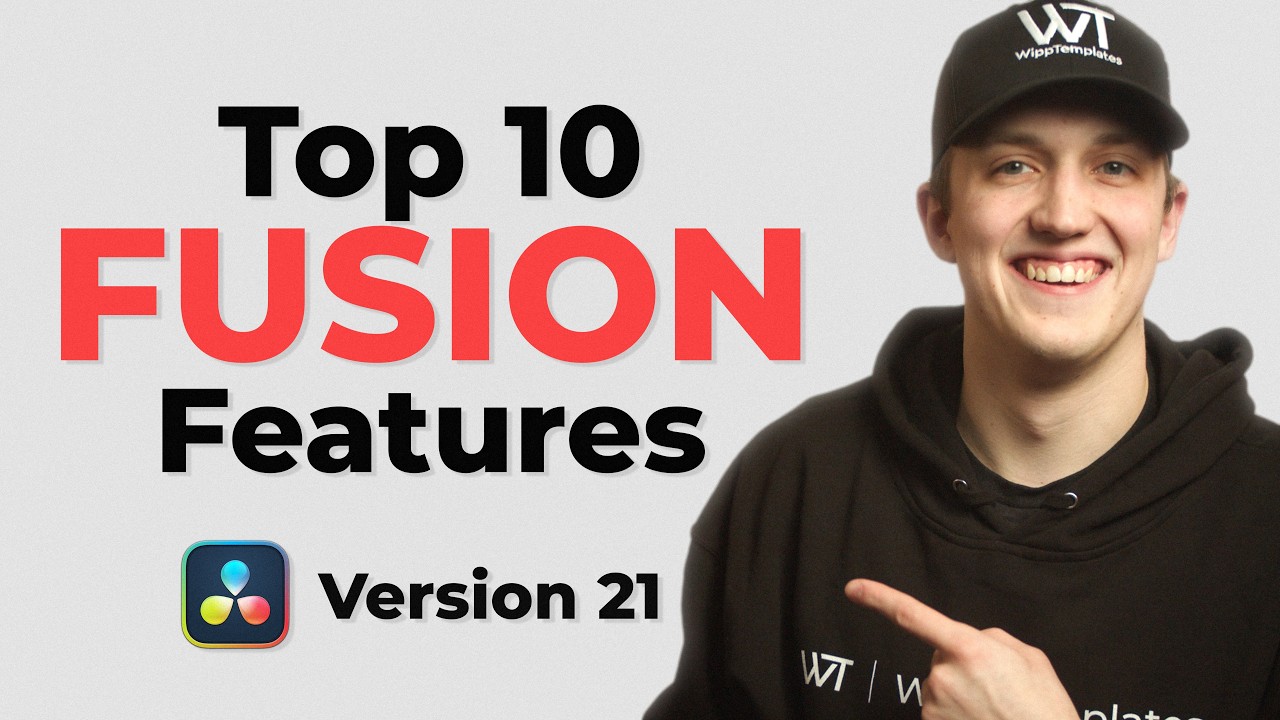
What’s new in DaVinci Resolve Fusion 21 Fusion 21 · Deep dive

A dedicated look at the Fusion page changes in Resolve 21, by Jake Wipp — watch on YouTube.

Inspector presets being saved and reapplied in DaVinci Resolve 21.1
Inspector presets, requested for years. Save a set of values, reapply them anywhere — the least glamorous item in 21.1 and the one I use most.

The unglamorous fixes that matter most on a deadline

If you strip out the AI and the Photo page, Resolve 21 is still a substantial release, and this is the part reviews skip.

  • Fairlight folder tracks. Long overdue. If you have ever mixed a documentary with forty tracks, you understand exactly why this matters and you do not need it explained.
  • Keyframing improvements across the edit pages — better handles, better curve behaviour.
  • Over 100 new motion graphics effects, which for social and promo work means fewer trips to Fusion for things that should be a drag-and-drop.
  • Rendering and Blackmagic Cloud sync performance. Not glamorous. Very noticeable on a delivery day.
  • New subtitle support, annotation sharing and broader format compatibility landed in 21.1.
DaVinci Resolve colour page with curves and colour wheels, and parade and vectorscope on a second display
My own colour page, mid-grade. Scopes live on the second screen so the picture is never covered by the tools measuring it — the setup that makes Resolve's node graph worth the learning curve.

Free vs Studio: what you actually lose

CapabilityResolve 21 (free)Resolve 21 Studio
Price$0$295 once
Edit, Colour, Fairlight, Fusion, PhotoAll pages includedAll pages included
Resolution & bit depthUp to 4K, 60fps, 8-bitUp to 120fps, 10-bit
Neural engine AI toolsBasic setFull set
Full-resolution photo export—Yes
Python scripting API Changed in 21.1—Yes
HDR MultiMaster trims, extra effects—Yes

The honest read: the free build is not a demo. You could run a paid editing business on it. Studio becomes necessary the moment you touch 10-bit delivery, HDR, scripting, or photo output — and at $295 paid once, against a subscription you rent forever, it is the least painful purchase in this entire comparison.

Where Resolve still frustrates me

What it gets right

  • One application for edit, colour, audio, VFX and now stills — no round trips, one grade
  • AI runs locally with no credit meter and no per-generation cost
  • A native MCP server, so you can automate it with an assistant you already pay for
  • $295 once, not $30 a month forever
  • Collaboration is storage-agnostic — no certified-hardware tax
  • The free tier is genuinely production-capable

What still frustrates

  • It is now enormous. New editors open it and freeze, and the page metaphor does not help
  • Optimised media and cache handling still needs manual attention on big projects
  • Third-party plugin support lags behind Premiere by a wide margin
  • Broadcast houses still send Avid and Premiere projects, so you rarely get to work only in Resolve
  • Python moving to Studio is a real regression for free-tier automators
  • Face editing and speech generation feel shipped for the keynote, not the timeline

Verdict

The bottom line

Resolve 21 plus 21.1 is the most feature-dense year any NLE has had, and the price did not move. A new Photo page, a local AI toolset with no metering, a trim editor that finally feels right, 25-angle multicam and a native MCP server — for $295 paid once, or nothing at all if you stay under 4K60.

The strategic point is bigger than the feature list. While Adobe is building generative AI you rent by the credit, Blackmagic is building AI you own and an open door for the assistant of your choice. Those are two very different bets on the next five years, and Resolve's is the one that does not put a meter between you and your own timeline.

Skip it if: your facility runs on Avid bin locking, your plugin stack is Premiere-only, or your clients ship you project files you cannot conform. Resolve being excellent does not change what lands in your inbox.

FAQ

Is DaVinci Resolve 21 free?

Yes. The free version includes the edit, colour, Fairlight and Fusion pages plus the new Photo page, and handles up to 4K at 60fps in 8-bit. Studio is a one-time $295 purchase adding 10-bit up to 120fps, the full AI toolset, extra effects, full-resolution photo export and the Python scripting API.

What is the DaVinci Resolve 21.1 MCP server?

Resolve 21.1 ships a native MCP server, which lets an external AI assistant such as Claude or ChatGPT talk to Resolve directly and drive tasks inside your project. Blackmagic does not include a built-in chatbot or bundle tokens — you connect your own AI subscription and pay for that usage separately.

Do I need Studio to use the Photo page?

No. The Photo page is in the free version, including RAW import, album management and node-based grading on stills. Studio adds full-resolution photo export, so the free build is fine for culling, tagging and grading but not for delivering at full size.

Is Resolve 21 worth upgrading to from Resolve 20?

For most editors yes, and it is free within the same licence. Between 21 and 21.1 there are roughly 150 new features. The ones most likely to change your day are the trim editor rework, 25-angle multicam shortcuts, Inspector presets and Fairlight folder tracks.

Did Blackmagic move Python scripting behind a paywall?

Yes. As of 21.1 the built-in Python scripting API requires Studio. Blackmagic's reasoning is that it prevents Studio-only features being unlocked in the free build through scripts. If you automate Resolve, budget for the $295 licence.

Read the rest of the 2026 NLE reviews

Need the edit, not the software comparison?

Podcasts, short-form, VSLs, real estate and music video — graded and delivered by a senior editor, monthly or per project.

Start a project →

Manila-based, working with clients across the US, Australia and Europe.

Sources

Discussion

Disagree? Say so.

Corrections, counter-arguments and what you are seeing in your own edit suite — all welcome. Comments run on GitHub Discussions, so sign in with a GitHub account to post. No ads, no tracking, and every thread stays public.

Studio Notes

One email a month. What we learned, before it’s obvious.

New edits and breakdowns, the AI workflows we actually run in production, and honest reads on the tools — written by an editor who still cuts every week. No daily noise, no pitching, unsubscribe in one click.

  • Retention techniques tested on real client channels
  • Automation builds you can copy — including the parts that broke
  • NLE and AI changes that actually affect your week

No spam. One email a month. Unsubscribe any time.

Need this cut for you? Start a project →