NB Studios  /  Blog  /  Media Composer 2026.8
Tool Review

Avid Media Composer 2026.8 review: agentic editing arrives, and so does the bin locking bill

Avid’s 2026.8 release is aimed precisely at the rooms that already run on Media Composer — and mostly it delivers. It also contains a licensing change that has generated more discussion than every feature combined, so this covers both: the good work, and the bill attached to it.

Media Composer 2026.8 logo
Avid Technology
Media Composer 2026.8
Available 1 Sept 2026Previewed at IBC2026Subscription, tieredFree tier now uncapped
The short version
  • PhraseFindAI Multicam Auto Cut turns transcript speaker assignments into an editable first-pass multicam edit, with cuts on speech boundaries.
  • The transcript tooling is the real win — edit while preserving the original, revert, split segments, group speakers.
  • Media Composer First is now uncapped. No track or resolution limits, so the free tier is finally a real entry point.
  • The catch: third-party storage can no longer emulate NEXIS bin locking. Ultimate facilities on non-Avid storage must move to Enterprise or buy NEXIS.
Sept 12026.8 general availability
UncappedMedia Composer First free tier
OTIO 2.0New interchange adapter
EnterpriseNow required for 3rd-party bin locking
What’s New in Media Composer 2026.8 Avid · Official walkthrough

Avid’s own walkthrough of the 2026.8 feature set — watch on YouTube.

Media Composer 2026.8 went generally available on 1 September 2026 and was previewed at IBC in Amsterdam the following week. Avid's framing this year is “agentic editing” — AI woven into connected workflows rather than bolted on as isolated features. Chief Product Officer Kenna Hilburn put the intent plainly: Media Composer “has always been built around the way professional editors actually work,” and the aim is to keep “editorial oversight and creative control firmly in editors' hands.”

That is the right instinct, and mostly the release delivers on it. But 2026.8 also contains a licensing change that has generated more discussion than every feature combined, and any honest review has to spend real time on it. So this covers both: the good work, and the bill attached to it.

PhraseFindAI Multicam Auto Cut, tested honestly

This is the headline, and it is genuinely clever. It takes the speaker assignments already in your transcript and uses them to generate an editable first-pass multicam edit — switching camera angles based on who is speaking, and placing cuts on speech boundaries rather than on arbitrary intervals.

01
Ingest & sync
02
Transcribe
03
Assign speakers
04
Auto cut
05
Trim to taste

What it is good at: the mechanical pass. On a four-camera panel discussion, the job of “cut to whoever is talking” is not creative work, it is data entry with a keyboard. Handing that to the transcript and getting back a sequence you can trim is a legitimate hour saved on every episode.

What it is not: a finished cut. It has no idea that the interesting shot is the person listening. It will not hold on a reaction, will not cut early to a wide for a laugh, and will not know that the guest's third answer is the one the episode is actually about. Every good multicam edit is built from those decisions, and none of them are in the transcript.

How I'd actually use it

As a first pass, not a deliverable. Let it lay down the mechanical switching, then go through and break it — add the reactions, hold the pauses, cut against the dialogue where the moment needs it. You are trading “build the cut” for “improve the cut,” which is a better use of an editor. That is exactly the trade Avid says it is aiming for, and to their credit the output is editable rather than baked.

How the first pass gets built
TRANSCRIPT · SPEAKER SEGMENTS Speaker A Speaker B Speaker A Speaker C B CAMERA ANGLES CAM 1 CAM 2 CAM 3 WIDE never chosen automatically — the reactions are your job ↑ EVERY CUT SITS EXACTLY ON A SPEECH BOUNDARY Output: an editable first pass, not a locked cut.
The transcript decides which angle is live, and the cuts land where speech starts and stops rather than on a fixed interval. What it cannot know is that the best shot is often the person listening — every reaction, hold and early cut is still yours to add.

The transcript tooling is the quiet win

Overshadowed by the AI headline, but this is the part I would actually miss if it were removed. Media Composer 2026.8 lets you:

  • Edit a transcript while preserving the original — so corrections do not destroy your source of truth
  • Revert changes cleanly when a correction turns out to be wrong
  • Split segments for finer control over where text breaks
  • Group speaker text so a long interview reads as structure rather than a wall
  • Play back continuously through transcript edits

If you have ever done transcript-driven assembly on a documentary or a long-form interview, you know that the failure mode is always the same: you fix a mis-transcription, and now your text no longer matches the audio you are cutting against. Preserving the original while allowing edits fixes exactly that. It is unglamorous and it is the best thing in the release.

The Media Composer 2026.8 transcript panel with speaker grouping and a split segment
Transcript editing that preserves the original. Corrections no longer break the match between your text and the audio you are cutting against.

“Agentic editing” — what shipped vs. what was previewed

Worth separating these carefully, because the marketing does not.

CapabilityStatusWhat it does
PhraseFindAI Multicam Auto CutShippingTranscript-driven first-pass multicam edit
Ready to Edit panelShippingAI-assisted content prep and ingest organisation
Google Gemini panelShippingEmbedded AI assistant inside the editing environment
Agentic orchestration layerPreview onlyCoordinating automated tasks across production workflows

The orchestration layer is the interesting long game — a system coordinating automated tasks across a whole production pipeline rather than inside one application. It was previewed at IBC and is not shipping. Treat it as a signal about direction, not something you can plan a facility around this quarter.

The rest of the workflow additions

  • Bin Column Search — find metadata fast in bins that have grown past readable. Genuinely useful on long-running series.
  • Swap Audio Track from Subclip — easier access to alternate audio without rebuilding.
  • Titler+ keyframe rectification — keyframes stay stable through edits instead of drifting.
  • OpenTimelineIO 2.0 adapter — cleaner round-tripping with third-party tools, which matters more every year as facilities stop being single-NLE shops.
  • MC API and SDK improvements — sequence creation, OTIO import/export and access to transcription data. If you build pipeline tooling, read the SDK notes properly; this is the most useful part of the release for you.
  • A redesigned in-app What's New window with an Extensions Spotlight.

The bin locking change, and why facilities are angry

Here is the part you need to understand before you update anything.

Starting with 2026.8, Media Composer no longer allows third-party storage systems to emulate Avid NEXIS bin locking. That covers EditShare, Facilis, LucidLink and OWC Jellyfish, among others. Bin locking is what lets multiple editors work safely in a shared project without overwriting each other — it is not a nice-to-have, it is the foundation of collaborative Avid work.

What it means in practice

If you run Media Composer Ultimate on third-party shared storage, you lose safe multi-editor bin locking unless you either move to Media Composer Enterprise or buy Avid NEXIS. That is a cost increase to keep a workflow that was already working yesterday.

Avid's position, stated fairly: this is a security and workflow integrity change, and the emulation it closes was never a supported configuration. Alongside it, Avid did something genuinely new — Enterprise customers can now use qualified third-party storage officially, with Shared Projects supporting NEXIS from the Standard tier upward. So the direction is “supported instead of hacked,” not simply “locked down.” That is a real distinction and it deserves to be said.

What actually changed
BEFORE 2026.8 · NO LONGER ALLOWED Editors MC Ultimate Third-party storage EditShare · Facilis · LucidLink · Jellyfish Emulated NEXIS bin locking never a supported configuration FROM 2026.8 · TWO SUPPORTED PATHS Avid NEXIS Shared Projects supported from the Standard tier upward. BUY HARDWARE Qualified third-party storage Officially supported for the first time — but only on Media Composer Enterprise. UPGRADE TIER
The emulated path was never supported, and Avid closed it. In exchange, Enterprise customers get qualified third-party storage officially for the first time. The problem is the middle case — an Ultimate facility on third-party storage now pays more for a workflow that already worked.

The reason the pushback has been loud anyway is competitive context. Premiere's Productions workflow runs on a variety of shared storage systems. Resolve's collaboration tools are not tied to a storage vendor either. Avid is the only one of the three asking facilities to buy specific hardware or a higher licence tier to keep collaborating — at a moment when post budgets are not exactly expanding.

This breakdown is the clearest explanation of the practical consequences I have seen, and worth watching in full if you run or advise a facility:
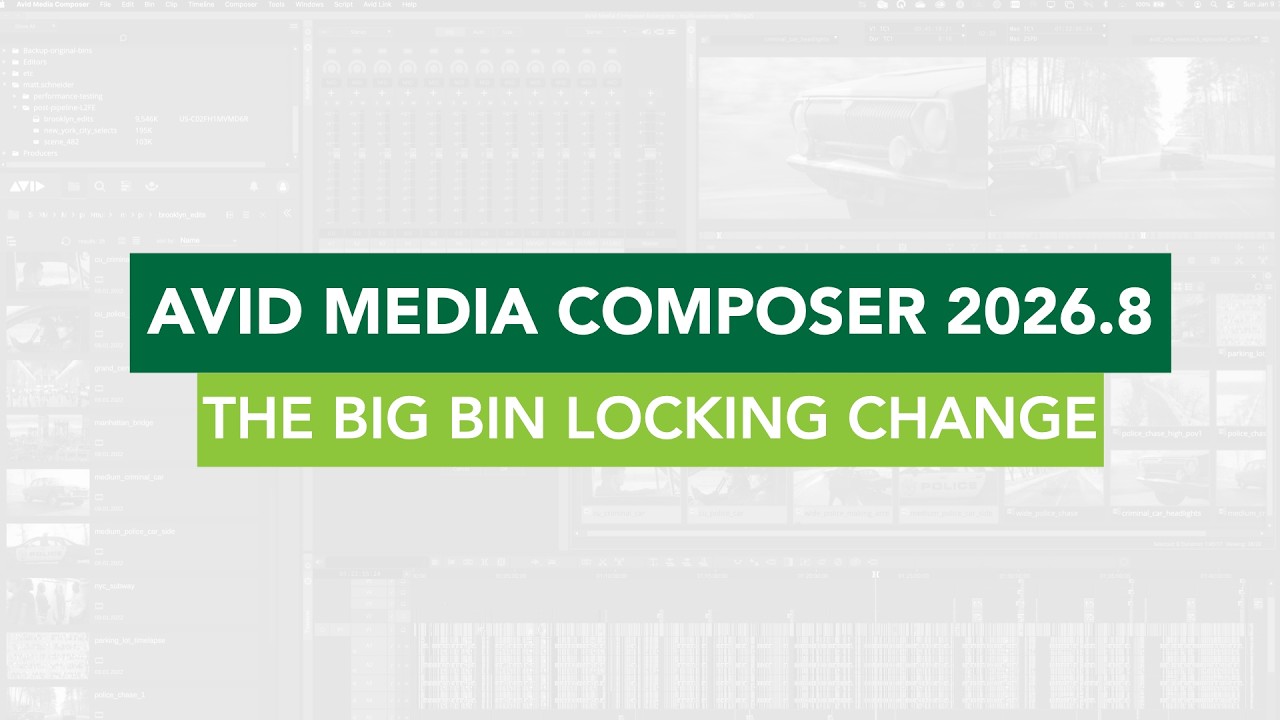
Avid Media Composer 2026.8: The Big Bin Locking Change Analysis · Bin locking

A facility-side breakdown of the shared storage change, by Key Code Media — watch on YouTube.

A PhraseFindAI Multicam Auto Cut first pass open in the Media Composer timeline
An auto-cut first pass before I touched it. The switching is mechanically correct; every reaction and hold in the finished episode was added afterwards.

Media Composer First is now uncapped

Easy to miss, and strategically the smartest thing in the release. Avid removed the track count and resolution limits from Media Composer First, turning the free tier from a restricted demo into a real no-cost entry point.

This is Avid responding to reality. For a decade, the answer to “how do I learn a professional NLE for free?” has been DaVinci Resolve, and an entire generation of editors learned to cut without ever opening Avid. If you want people to arrive at a broadcast facility already knowing your software, you cannot be the only one charging for the door. Removing the caps is late, but it is correct.

If you're learning to edit in 2026

You now have two genuinely free professional NLEs: Resolve and Media Composer First. If you want to work in episodic television, news or features, learning Avid is a direct career decision — those rooms run on it, and the free tier no longer stops you. If you want to work in social, ads or as a freelancer, Resolve or Premiere will serve you better.

Strengths and frustrations

What it gets right

  • Transcript editing that preserves the original — the best feature in the release
  • PhraseFindAI Multicam Auto Cut is a real hour back per multicam episode
  • AI stays assistive; the output is editable rather than baked
  • Media Composer First finally has no track or resolution caps
  • OTIO 2.0 and the SDK work make Avid a better citizen in mixed pipelines
  • Still unmatched for large-team episodic and feature work

What frustrates

  • Bin locking now effectively requires NEXIS or an Enterprise licence
  • Competitors offer storage-agnostic collaboration at no extra tier
  • The agentic orchestration layer is a preview, not a product
  • Subscription pricing against a $295 one-time competitor is a hard sell outside broadcast
  • Interface conventions still cost new editors more time than they should
  • No answer to generative media, if that matters to your work

Verdict

The bottom line

2026.8 is a good release aimed precisely at the people who already use Avid — and that is both its strength and its limit. The transcript tooling is excellent, multicam auto cut saves real time on dialogue-driven work, and Avid's restraint about keeping the editor in control is the correct instinct. Nobody else is building for a twelve-editor drama room, and Avid still owns that room.

But the bin locking change reframes the release. Charging facilities more to keep a workflow that already worked, while both competitors offer storage-agnostic collaboration, is the kind of decision that starts migration conversations — not immediately, but at the next hardware refresh. Avid is defending its position rather than expanding it.

Upgrade if you cut multicam dialogue: talk shows, panels, podcasts, interviews. The transcript work alone justifies it. Audit first if you run shared storage that is not NEXIS — price the Enterprise or NEXIS path before you touch a single workstation.

FAQ

When was Media Composer 2026.8 released?

It became generally available on 1 September 2026, and Avid previewed it at IBC2026 in Amsterdam from 11 to 14 September.

What is PhraseFindAI Multicam Auto Cut?

It uses the speaker assignments in a clip's transcript to build an editable first-pass multicam edit, switching angles based on who is speaking and placing cuts on speech boundaries. It is a starting sequence, not a finished cut, but it removes the mechanical pass on panels, podcasts and interviews.

Is Media Composer First still limited?

No. As of 2026.8 Avid removed the track count and resolution limits, making the free tier a genuine no-cost entry point rather than a restricted demo.

What changed with bin locking and third-party storage?

From 2026.8, third-party storage systems such as EditShare, Facilis, LucidLink and OWC Jellyfish can no longer emulate Avid NEXIS bin locking. Enterprise customers get officially qualified third-party storage support instead. Facilities on Media Composer Ultimate with third-party shared storage must move to Enterprise or buy NEXIS to keep safe multi-editor bin locking.

Should I upgrade to Media Composer 2026.8?

If you cut multicam dialogue, yes — the transcript tooling and auto cut are a real time saving. If you run a shared-storage facility on non-Avid hardware, check the bin locking change and price the consequences before updating anything.

Read the rest of the 2026 NLE reviews

Cutting multicam dialogue and short on hours?

Podcasts, panels, interviews and long-form — assembled, cut and delivered by a senior editor who does this every week.

Start a project →

Manila-based, working with clients across the US, Australia and Europe.

Sources

Discussion

Disagree? Say so.

Corrections, counter-arguments and what you are seeing in your own edit suite — all welcome. Comments run on GitHub Discussions, so sign in with a GitHub account to post. No ads, no tracking, and every thread stays public.

Studio Notes

One email a month. What we learned, before it’s obvious.

New edits and breakdowns, the AI workflows we actually run in production, and honest reads on the tools — written by an editor who still cuts every week. No daily noise, no pitching, unsubscribe in one click.

  • Retention techniques tested on real client channels
  • Automation builds you can copy — including the parts that broke
  • NLE and AI changes that actually affect your week

No spam. One email a month. Unsubscribe any time.

Need this cut for you? Start a project →